 Record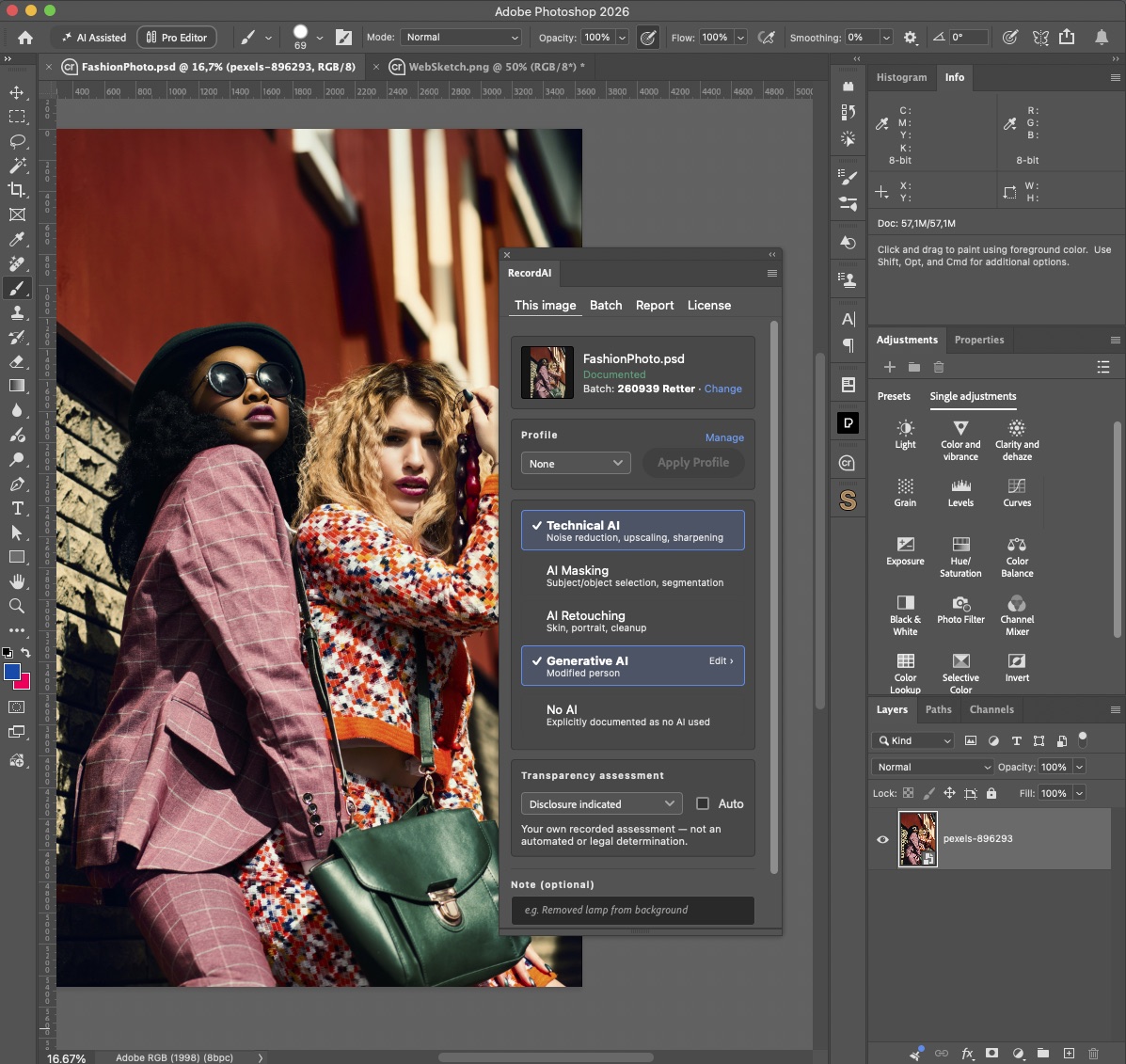
Your client asks: “Was AI used on these images?”
You already have the answer.
RecordAI lets you document AI use directly in your Photoshop workflow, so you don’t have to reconstruct what happened after the job is finished.
Work normally. Document as you go.
RecordAI is built for the way professional retouchers already work. No new production workflow. No manual spreadsheets. No guessing later.
From Photoshop to client report.
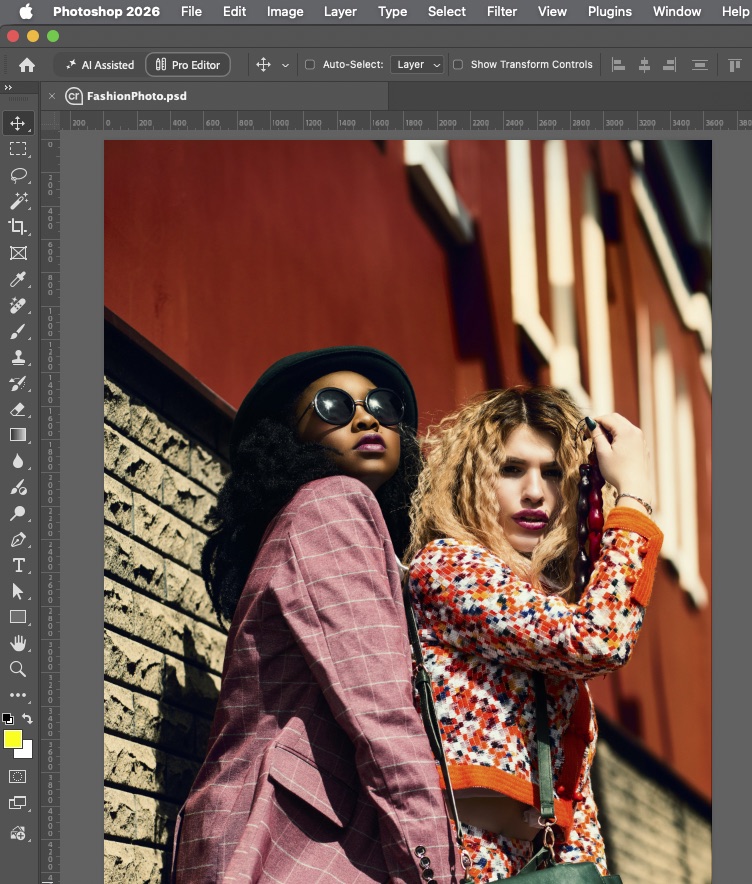
Retouch
Work normally in Photoshop.
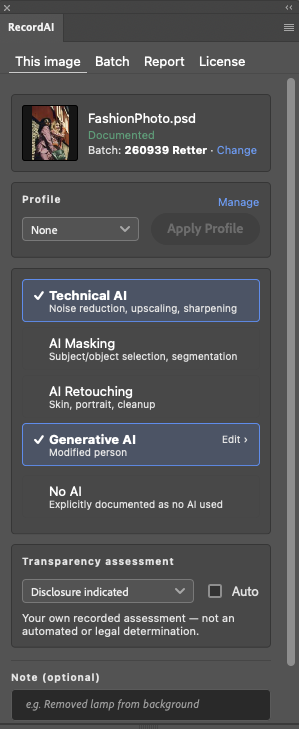
Record
Document the AI tools and processes used.
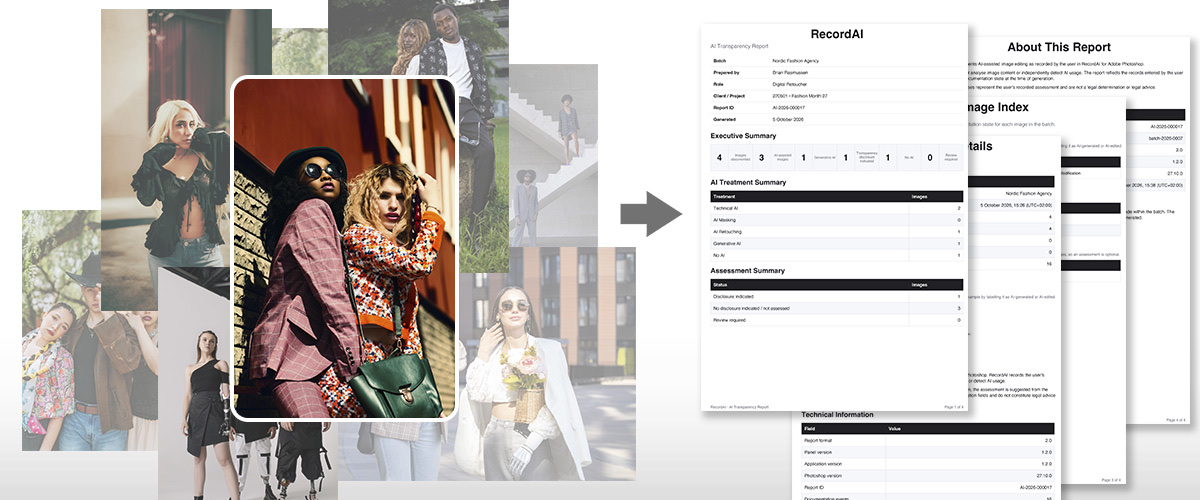
Report
Generate a clear report for the final delivery.
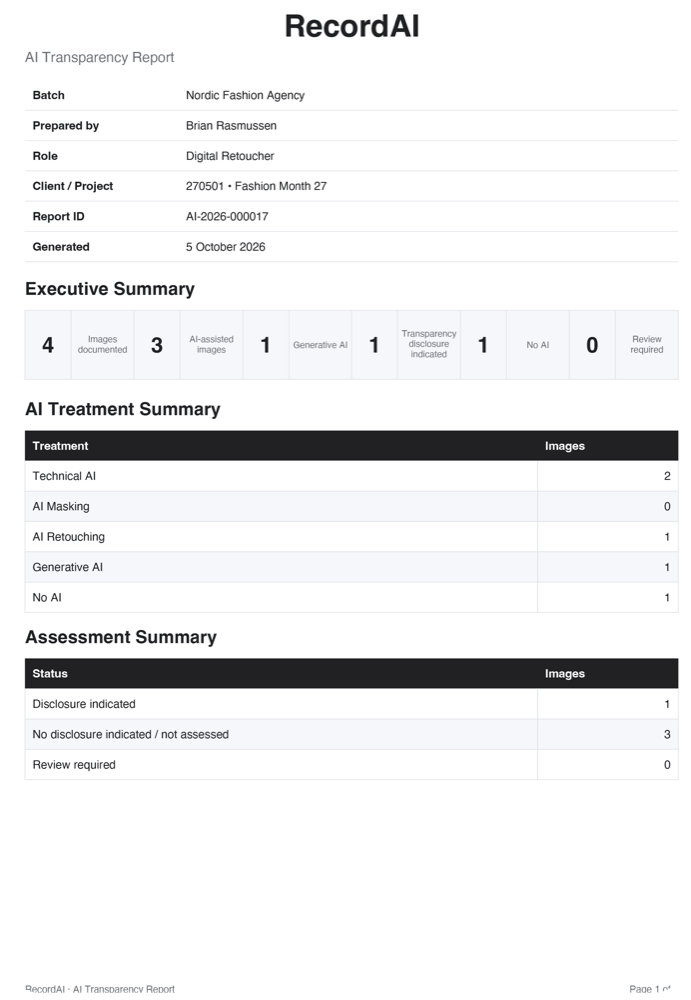
Know which images need an AI label.
With Auto on, RecordAI suggests an assessment from the treatments you record. When an image has several, the strongest one wins. You can always choose the assessment yourself.
Disclosure indicatedAI transparency information should be provided when the image is published.
Review requiredThe assessment is not finished, or the image is marked for further review.
No disclosure indicatedThe AI use does not call for a transparency label.
| Treatment | Suggested assessment |
|---|---|
| Technical AI, AI Masking, AI Retouching | No disclosure indicated |
| Generative AI: removed or modified element | Review required |
| Generative AI: modified person or environment | Review required |
| Generative AI: added element or environment | Disclosure indicated |
| Generative AI: added or removed person | Disclosure indicated |
| Generative AI: generated motif | Disclosure indicated |
Assessments are documentation recorded by you. RecordAI does not analyse image content and does not give legal advice.
Built for professional image production.
Whether you’re an independent retoucher or part of a production studio, RecordAI gives you a consistent way to communicate AI use.
 Fashion
 Beauty
 Advertising
 Editorial
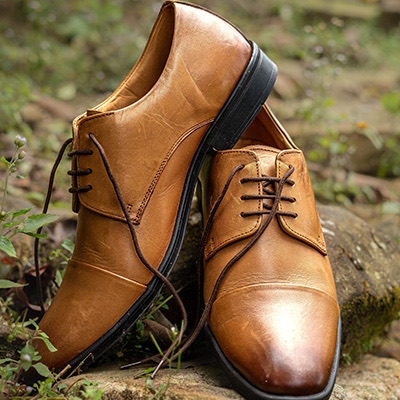 E-commerce
 Commercial
Your work. Your data.
RecordAI is designed for professional workflows where privacy and control matter.
Your images, file names and client names never leave your computer.
Works without an internet connection.
Documentation follows your image when you rename it or save as.
Built for professional and confidential production work.
Simple pricing for every workflow.
Start free and upgrade when you need more. Subscribe or change plan from the RecordAI panel.
RecordAI Free
- 10 images per report
- 2 reports per month
- Auto assessment, profiles and notes
RecordAI Pro
- 150 images per report
- 50 reports per month
- Use on up to 3 computers
- Auto assessment, profiles and notes
- Change plan or cancel anytime
RecordAI Enterprise
- Unlimited images per report
- Unlimited reports
- Use on up to 12 computers
- Auto assessment, profiles and notes
- Change plan or cancel anytime
AI is already part of the workflow.
Make the workflow transparent.
- No credit card required
- Works offline
- Your data stays local